T-Bone Map Drives – Fixed the problem with high load on DC

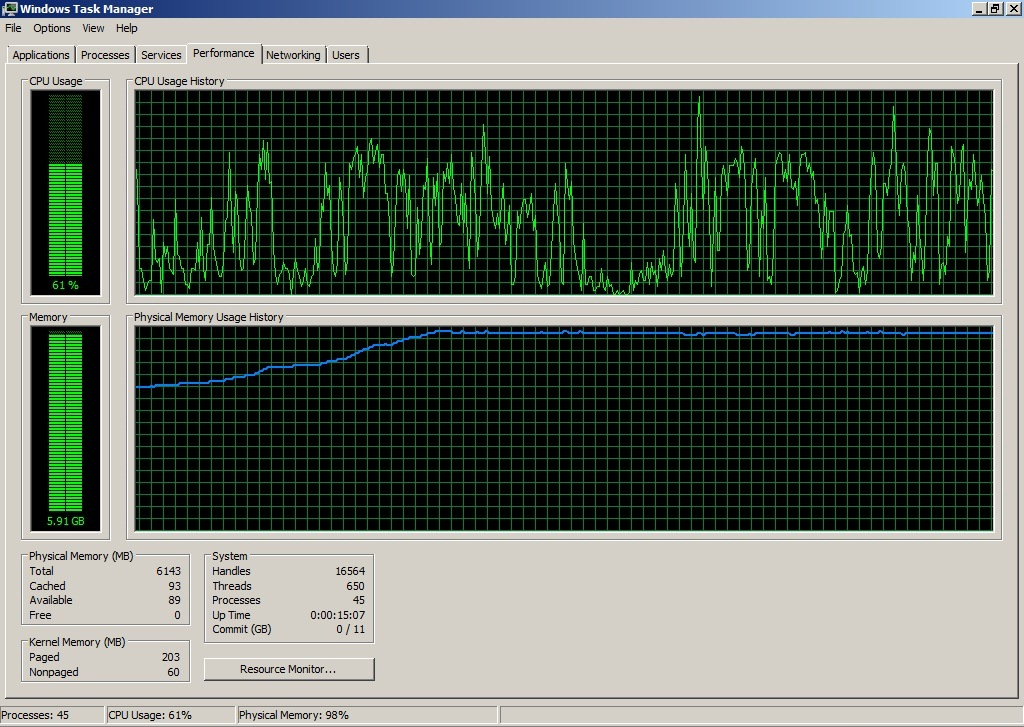
I have received reports from multiple customers that observed a high load on Domain Controllers. So I needed to enhance the scripts to be lighter on the Domain Controllers. I also needed to find a good way to discover and cleanup old versions of the scripts, so build a smart cleanup that identifies most of the older Mr T-Bone map script versions. Also reviewed the way the script executes and reuses the same code, and decided to move some of the reused code intoe scriptblocks. Now the script is a lot easier to maintain.
A couple of weeks ago I shipped version 3.2 of Map-DrivesCloudNative.ps1 and Map-PrintersCloudNative and described the big update in functions on my previous blog: https://www.tbone.se/2026/06/05/modern-drive-and-printer-mapping-for-cloud-native-windows-with-intune-and-powershell The new version is a replacement for my old “Intune Drive Mapping” and “Intune Printer Mapping” scripts I previously released. I was pretty happy with where 3.2 ended up. End user GUI, Add Remove Programs integration, the convenient context detection, all that good stuff was in there.
But two weeks is a long time on a script that real customers are running. A few good people reached out and pushed me to fix things I should have fixed a long time ago, and a couple of small itches turned into a meaningful internal rewrite.
In short, here is what is new since the last post:
- 3.3.0 – The script no longer hammers your Domain Controllers with recursive group-membership queries. It now answers from the local Kerberos token whenever it can, and only falls back to a single, scoped LDAP query when it really must.
- 3.4.0 – A new function `Remove-LegacyV1V2Artifacts` that detects, classifies and removes old V1/V2 mapping deployments (the wscript+vbs ones from years ago) automatically when you install or remediate the new version.
- 3.5.0 – A larger refactor. The install, workflow and uninstall logic that used to be duplicated inline across four execution branches is now lifted into three reusable scriptblocks. One source of truth, much less copy-paste, fewer bugs.
You can find the latest versions on my GitHub but let´s go through the three changes in detail.
New feature: A much lighter footprint on the Domain Controllers (3.3.0)
If you are running my mapping script in any kind of larger environment, this is the one you really want. It is also a great example of how a “good enough” implementation can quietly cause real pain at scale, and how PowerShell + a little Win32 know-how can fix it without giving up any functionality. This is also the change I am the happiest about, I feel embarrassed to have caused the unnecessary load on your domain controllers.
What 3.2 was doing wrong
To know which drives or printers to map for the user, the script needs to know which AD groups the user belongs to. In version 3.2 my function `Get-ADGroupMemberships` did that with three LDAP queries:
# 1. Find the user
   $ADsearcher.Filter = "(userprincipalname=$escapedUPN)"
   $null = $ADsearcher.PropertiesToLoad.Add("distinguishedname")
   $null = $ADsearcher.PropertiesToLoad.Add("primarygroupid")
   $UserResult = $ADsearcher.FindOne()
# 2. Get every group the user is a member of, transitively
   $ADsearcher.Filter = "(member:1.2.840.113556.1.4.1941:=$escapedDN)"
   $ADsearcher.PropertiesToLoad.Clear()
   $null = $ADsearcher.PropertiesToLoad.Add("name")
   $GroupsResults = $ADsearcher.FindAll()
# 3. Resolve the primary group (Domain Users etc), because the chain rule does not include it
   $ADsearcher.Filter = "(objectSid=$primaryGroupSID)"
Step 2 is the expensive one. The OID `1.2.840.113556.1.4.1941` is `LDAP_MATCHING_RULE_IN_CHAIN`. It is brilliant, and it is also what people sometimes politely call “the recursive group rule”. When you send that filter to a Domain Controller, the DC walks the entire nested-group graph for the user and returns every single group, anywhere in the tree, that the user is a member of.
In a small lab that is fine. In a big tenant with deeply nested groups and thousands of cloud-native devices coming online at 08:00 it is absolutely not fine. Every device, every logon, every network reconnect, fires a chain query. The DC can not refuse it. It walks the graph each time. And then my script throws most of the result away, because only a handful of groups actually matter:
How 3.3 does it right
So to prevent unnecessary load on domain controllers the new design has one rule above all the others:
Don´t ask the Domain Controller anything you can answer locally, and if you must ask, ask only about the groups you actually care about.
The first thing I had to do was give the function something to scope on. In 3.3 I do that already in the static-variables region of the script, by walking `$MapObjects` once and harvesting the unique non-empty group names:
[string[]]$RequiredGroups = @(
    $MapObjects |
        ForEach-Object { $_['ADGroups'] } |
        Where-Object { -not [string]::IsNullOrWhiteSpace($_) } |
        Select-Object -Unique
)
That single `$RequiredGroups` array becomes the centerpiece of the whole rewrite. Whenever the script needs to talk to the DC, it now talks about These groups, and only these groups. If your `$MapObjects` table has no `ADGroups` filters at all (every drive or printer maps for everyone), `$RequiredGroups` is empty and the script will avoid hitting the DC for groups completely. Which leads to the next rule.
Don´t even try LDAP if there is no DC reachable
Before any LDAP query, the script asks Windows whether a Domain Controller is even available. The cheapest and most authoritative way to do that is the Win32 API `DsGetDcName` from `netapi32.dll`. So I add a small P/Invoke definition once per session:
if (-not ('Native.Netapi' -as [type])) {
    $NetapiDefinition = @(
        '[System.Runtime.InteropServices.DllImport("Netapi32.dll", CharSet=System.Runtime.InteropServices.CharSet.Unicode)]'
        'public static extern int DsGetDcName(string ComputerName, string DomainName, System.IntPtr DomainGuid,'
        'string SiteName, uint Flags, out System.IntPtr DomainControllerInfo);'
        '[System.Runtime.InteropServices.DllImport("Netapi32.dll")]'
        'public static extern int NetApiBufferFree(System.IntPtr Buffer);'
    ) -join [Environment]::NewLine
    Add-Type -Namespace Native -Name Netapi -MemberDefinition $NetapiDefinition
}
Then I call it with a flag set that means “give me a writable DC, and use the DC Locator cache”:
$ptr = [IntPtr]::Zero
$rc  = [Native.Netapi]::DsGetDcName($null, $Domain, [IntPtr]::Zero, $null, 0x40000010, [ref]$ptr)
try {
    if ($rc -ne 0) {
        Write-Verbose "DsGetDcName=$rc - no DC for $Domain"
        if ($DCAvailable) { $DCAvailable.Value = $false }
        return $GroupMembershipList
    }
}
finally { if ($ptr -ne [IntPtr]::Zero) { [Native.Netapi]::NetApiBufferFree($ptr) | Out-Null } }
If there is no DC available, the user is on a coffee shop Wi-Fi off-VPN, the function returns immediately and signals that fact back to the caller via a `[ref]` parameter. The workflow then shows the user a nice “Domain network not available” message instead of waiting 30 seconds for a `DirectorySearcher` to time out. then the last rule:
Short-circuit when there is nothing to ask about
If `$RequiredGroups` is empty, there is nothing for the DC to answer anyway. So the function just leaves:
# Short-circuit: no group-scoped mappings configured, so no LDAP search is required.
if (-not $RequiredGroups -or $RequiredGroups.Count -eq 0) {
    Write-Verbose "No RequiredGroups supplied - skipping LDAP group enumeration to spare DC load"
    return $GroupMembershipList
}
If you only have “everyone” mappings, version 3.3 issues Zero LDAP traffic. None. That alone is a huge win for some environments.
3.3 also brings more enhancements
Resolve names to SIDs through LSA, locally, with no LDAP
Now this was an interesting part. I found out that even when `$RequiredGroups` is non-empty, I do not need to ask the DC who is in those groups. I can answer that from the user´s own Kerberos token, If I can convert the configured group names into SIDs first. The trick is that on a domain-joined or hybrid-joined device the LSA service has cached SIDs for every group it has seen during the latest authentication. So I let LSA do the translation, with a small ladder of authority hints to handle hybrid identity:
$netBiosDomain = $env:USERDOMAIN
$translated    = @{}
foreach ($groupName in $RequiredGroups) {
    $authoritiesToTry = @()
    if ($netBiosDomain)                          { $authoritiesToTry += $netBiosDomain }    # 1. NetBIOS - most reliable
    $authoritiesToTry += $null                                                              # 2. bare name - LSA uses default domain
    if ($Domain -and $Domain -ne $netBiosDomain) { $authoritiesToTry += $Domain }           # 3. DNS domain - last resort
    foreach ($authority in $authoritiesToTry) {
        try {
            $nt  = if ($authority) { [System.Security.Principal.NTAccount]::new($authority, $groupName) }
                   else            { [System.Security.Principal.NTAccount]::new($groupName) }
            $sid = $nt.Translate([System.Security.Principal.SecurityIdentifier])
            $translated[$groupName] = $sid.Value
            break
        }
        catch { } # Try next authority - failures are expected on Entra-joined CKT devices
    }
}
If LSA already knows about a group, this is a purely local operation. Zero packets to the DC. On a healthy domain-joined device it resolves all configured groups in milliseconds. But this only work for hybrid devices, not cloud native. But why not add it anyway.
One flat LDAP query for the Cloud Trust edge case
There is one more important scenario where LSA does Not know the group: Entra-joined devices using Kerberos Cloud Trust have no local SAM domain to translate against, so LSA refuses politely. Rather than giving up and going back to the giant chain query, Now I do a single very small LDAP query that only asks the DC for the SIDs of the still unresolved names:
if ($unresolvedNames.Count -gt 0) {
    $sidLookupSearcher = [System.DirectoryServices.DirectorySearcher]::new()
    $sidLookupSearcher.SearchRoot      = [ADSI]"LDAP://$Domain"
    $sidLookupSearcher.SearchScope     = [System.DirectoryServices.SearchScope]::Subtree
    $sidLookupSearcher.ServerTimeLimit = [TimeSpan]::FromSeconds(15)
    $nameClauses = ($unresolvedNames | ForEach-Object {
        '(name=' + ($_ -replace '([\\*\(\)\x00/])','\\$1') + ')'
    }) -join ''
    if ($unresolvedNames.Count -gt 1) { $nameClauses = "(|$nameClauses)" }
    $sidLookupSearcher.Filter = "(&(objectCategory=group)$nameClauses)"
    $null = $sidLookupSearcher.PropertiesToLoad.Add("name")
    $null = $sidLookupSearcher.PropertiesToLoad.Add("objectSid")
    Write-Verbose "Token path: resolving $($unresolvedNames.Count) group name(s) to SIDs via single flat LDAP query"
    $sidLookupResults = $sidLookupSearcher.FindAll()
    foreach ($r in $sidLookupResults) {
        $resName  = $r.Properties["name"][0]
        $sidBytes = $r.Properties["objectSid"][0]
        $sidObj   = [System.Security.Principal.SecurityIdentifier]::new($sidBytes, 0)
        if ($RequiredGroups -contains $resName) { $translated[$resName] = $sidObj.Value }
    }
}
This is a flat indexed query against `name`, with no recursion, no chain rule, and a strict scope of “the group names in my mapping table”. The DC answers it more or less instantly. Even on a busy DC this is invisible compared to a chain query. Notice also that LDAP filter values for the group names are escaped properly. Group names with funny characters in them (parentheses, asterisks, backslashes) are an underrated source of “works on my machine” bugs.
Read group memberships straight from the Kerberos token
Now I have a SID for each configured required group. The next question is “which of those is the user actually a member of?”. And the elegant answer is: I do not have to ask anyone. The information is already on the device, in memory, in the user´s Windows token. Every time a user logs on, the DC issues a TGT that contains a PAC. The PAC contains every group SID the user is a transitive member of. Windows stores those SIDs on the access token. PowerShell exposes them through `WindowsIdentity.Groups`:
# Read the user's transitive group SIDs straight from the local Windows token. No DC traffic.
$currentIdentity = [System.Security.Principal.WindowsIdentity]::GetCurrent()
$tokenSidSet     = [System.Collections.Generic.HashSet[string]]::new([System.StringComparer]::OrdinalIgnoreCase)
if ($currentIdentity.Groups) {
    foreach ($grp in $currentIdentity.Groups) {
        try { [void]$tokenSidSet.Add($grp.Value) } catch {}
    }
}
So the membership question becomes a set intersection between “groups the customer cares about, expressed as SIDs” and “SIDs in the user´s token”:
foreach ($groupName in $RequiredGroups) {
    if ($translated.ContainsKey($groupName) -and $tokenSidSet.Contains($translated[$groupName])) {
        $GroupMembershipList.Add($groupName)
    }
}
Write-Verbose "Token path: matched $($GroupMembershipList.Count) of $($RequiredGroups.Count) configured group(s) via Kerberos token (no LDAP issued)"
return $GroupMembershipList
That is it. No `LDAP_MATCHING_RULE_IN_CHAIN`, no nested-group walk on the DC, no traffic to the directory at all in the happy path. The DC´s only role is “you logged in earlier, the answer is in your TGT, please go look at it”.
Sanity check, and one more fallback for the weird cases
There is one corner case. On certain Entra-only or freshly-provisioned sessions the user´s token can come up without any on-prem domain SIDs at all, even when LSA happily translated the names. To avoid quietly returning “no groups” in that case, I do a small sanity check on the token first:
$sampleSid       = ($translated.Values | Select-Object -First 1)
$domainSidPrefix = $null
if ($sampleSid) {
    $sidParts = $sampleSid -split '-'
    # AD domain group SID layout: S-1-5-21-<a>-<b>-<c>-<RID> -> 8 segments, prefix = first 7
    if ($sidParts.Count -ge 8 -and $sidParts[0] -eq 'S' -and $sidParts[2] -eq '5' -and $sidParts[3] -eq '21') {
        $domainSidPrefix = ($sidParts[0..6]) -join '-'
    }
}
$tokenHasOnpremGroups = $false
if ($domainSidPrefix) {
    foreach ($s in $tokenSidSet) {
        if ($s.StartsWith("$domainSidPrefix-", [System.StringComparison]::OrdinalIgnoreCase)) {
            $tokenHasOnpremGroups = $true; break
        }
    }
}
if (-not $tokenHasOnpremGroups) {
    Write-Verbose "Token path: user token has no SIDs from the on-prem domain - falling back to scoped LDAP"
    $useFallback = $true
}
If the token does not contain any SIDs from the on-prem domain, the script falls through to a scoped version of the original chain query, asking the DC only about the groups in `$RequiredGroups`:
# Build a single LDAP filter that asks the DC ONLY about the configured groups
$distinguishedName = $UserResult.Properties["distinguishedname"][0]
$escapedDN         = $distinguishedName -replace '([\\*\(\)\x00/])','\\$1'
$nameClauses = ($RequiredGroups | ForEach-Object {
    '(name=' + ($_ -replace '([\\*\(\)\x00/])','\\$1') + ')'
}) -join ''
if ($RequiredGroups.Count -gt 1) { $nameClauses = "(|$nameClauses)" }
$ADsearcher.Filter = "(&(objectCategory=group)$nameClauses(member:1.2.840.113556.1.4.1941:=$escapedDN))"
$ADsearcher.PropertiesToLoad.Clear()
$null = $ADsearcher.PropertiesToLoad.Add("name")
Write-Verbose "Querying $($RequiredGroups.Count) configured group(s) with scoped chain filter"
$GroupsResults = $ADsearcher.FindAll()
The chain rule is still there, but the filter now narrows it to just the named groups. The DC can use its index on `name` first and then evaluate membership only inside that subset, instead of walking the whole transitive group graph for the user. The primary group lookup is also now conditional – it only runs if a configured required group could not be resolved by either of the previous paths:
$unresolved = @($RequiredGroups | Where-Object { $_ -notin $GroupMembershipList })
if ($unresolved.Count -gt 0) {
    $primaryGroupID = $UserResult.Properties["primarygroupid"]
    if ($primaryGroupID.Count -gt 0) {
        # ...resolve domain SID and synthesize the primary group SID...
        $ADsearcher.Filter = "(objectSid=$primaryGroupSID)"
        # Only add the primary group if it actually satisfies an outstanding required group
        if ($primaryName -in $unresolved) { $GroupMembershipList.Add($primaryName) }
    }
}
So even the worst case is bounded. We never go back to “send everything you have on this user”.
The Results
Putting it all together, here is what `Get-ADGroupMemberships` actually does to the DC in 3.3 versus 3.2:
| Scenario | LDAP queries to DC | Cost on DC |
| 3.2 Any environment, any user | 3 | High – chain rule walks all nesting |
| 3.3 no `ADGroups` configured | 0 | None |
| 3.3 hybrid joined, healthy LSA cache | 0 | None |
| 3.3 Entra joined with Cloud Trust | 1 flat indexed | Low |
| 3.3 Token has no on-prem SIDs | 1 scoped chain | Low only required groups |
For a tenant with thousands of cloud-native devices firing logon scripts at 08:00 in the morning, that is the difference between a normal morning and a post-incident review.

New feature: Auto-cleanup of legacy V1 and V2 deployments (3.4.0)
The second piece of feedback I got, almost immediately after 3.2 went out, was migration. A lot of customers are still running my old Intune Drive Mapping and Intune Printer Mapping solutions from years ago. Those used a VBScript wrapper around a PowerShell payload, registered as a scheduled task that called something like:
wscript.exe "C:\ProgramData\T-Bone\CorpData\scripts\IntuneDriveMapping.vbs" "...\IntuneDriveMapping.ps1"When you deploy 3.2 straight on top of one of those installations, the new task runs AND the old task still runs. Both fire on logon. Both try to map the same drive letters. Either they race and one loses, or they both succeed and the user sees the same drive twice. Neither outcome is great. Cleaning those up by hand is annoying, fragile and easy to forget. So in 3.4 I decided to try and enumerate all old versions of the script,and I built a function that does it for you.
Meet the new function: Remove-LegacyV1V2Artifacts
I decided to try and enumerate all old versions of the script, where I have used multiple different It is gated by a single new parameter, on by default:
[Parameter(Mandatory = $false, HelpMessage = "Detect and remove legacy mapping deployments from earlier generations before installing or repairing the current deployment")]

[Bool]$ReplaceOldV1andV2        = $true,
It runs from inside the install workflow (we will get to that in section 3), only when the script is actually about to install or remediate, and only as System or Admin:
$InstallScript = {
    # Replace legacy V1/V2 if the flag is set (caller has already verified canInstall before invoking $InstallScript).
    if ($ReplaceOldV1andV2) { Remove-LegacyV1V2Artifacts -ObjectType $ObjectType }
    # ... stage files, register task, register ARP ...
}
The detection signature
I deliberately did not key the detection on hardcoded names. Customers rename things, repackage things, drop their own publisher into the path. The function uses a layered signature to identify it instead. First, I only enumerate scheduled tasks whose Exec action is “wscript pointing at a .vbs” are even candidates:
$LegacyTasks = @(Get-ScheduledTask -ErrorAction Stop | Where-Object {
    $hit = $false
    foreach ($action in $_.Actions) {
        # Skip non-Exec actions (COM handler, email, message box) - they have no Execute/Arguments
        if ($action.CimClass.CimClassName -ne 'MSFT_TaskExecAction') { continue }
        if (($action.Execute   -match '(?:^|\\)wscript(?:\.exe)?$') -and
            ($action.Arguments -match '\.vbs(?:"|\s|$)')) {
            $hit = $true; break
        }
    }
    $hit
})
Second, from each candidate task I extract the first `.vbs` argument (quoted preferred, unquoted as fallback), then look for a sibling `.ps1` next to it:
$VbsQuotedPattern   = [regex]::new('"([^"]+\.vbs)"',                 [System.Text.RegularExpressions.RegexOptions]::IgnoreCase)
$VbsUnquotedPattern = [regex]::new('(?:^|\s)([^\s"]+\.vbs)(?:\s|$)', [System.Text.RegularExpressions.RegexOptions]::IgnoreCase)
# ...
$vbsMatch = $VbsQuotedPattern.Match($taskArguments)
if ($vbsMatch.Success) { $legacyVbsPath = $vbsMatch.Groups[1].Value }
else {
    $vbsMatch = $VbsUnquotedPattern.Match($taskArguments)
    if ($vbsMatch.Success) { $legacyVbsPath = $vbsMatch.Groups[1].Value }
}
# Derive matching .ps1 from the same folder. Prefer same basename, fall back to any *Mapping.ps1 sibling.
$legacyPs1Path = Join-Path -Path $legacyVbsDir -ChildPath "$legacyVbsBase.ps1"
if (-not (Test-Path -LiteralPath $legacyPs1Path -PathType Leaf)) {
    $alternatePs1 = @(Get-ChildItem -LiteralPath $legacyVbsDir -Filter '*Mapping.ps1' -File -Force -ErrorAction SilentlyContinue)
    if ($alternatePs1.Count -gt 0) { $legacyPs1Path = $alternatePs1[0].FullName }
}
Third, the `.ps1` content has to contain at least one of my historical markers. This is what stops the function from accidentally removing somebody else´s wscript+vbs scheduled task that happens to live next to a PowerShell file:
$LegacyContentMarker = 'IntuneDriveMapping|IntunePrinterMapping|MapDrivesCloudNative|MapPrintersCloudNative|Map-DrivesCloudNative|Map-PrintersCloudNative|CorpDataPath'
if (Test-Path -LiteralPath $legacyPs1Path -PathType Leaf) {
    $legacyPs1Content = Get-Content -LiteralPath $legacyPs1Path -Raw -ErrorAction Stop
    if ($legacyPs1Content -match $LegacyContentMarker) { $legacyConfirmed = $true }
}
elseif (($legacyVbsDir -match '\\CorpData\\scripts\\?$') -and ($legacyVbsBase -match $LegacyNameHeuristic)) {
    # Final fallback: the original install path my old script used, with a name like *Mapping*.
    $legacyConfirmed = $true
}
Fourth, every confirmed candidate is classified as Drive or Printer using a deterministic ladder. Task name first, then the .ps1 file name, then the .vbs file name, then mapping-table signatures, then function calls inside the .ps1:
if     ($taskNameTxt   -match 'Printer') { $legacyType = 'Printer' }
elseif ($taskNameTxt   -match 'Drive')   { $legacyType = 'Drive' }
elseif ($ps1NameTxt    -match 'Printer') { $legacyType = 'Printer' }
elseif ($ps1NameTxt    -match 'Drive')   { $legacyType = 'Drive' }
elseif ($legacyVbsBase -match 'Printer') { $legacyType = 'Printer' }
elseif ($legacyVbsBase -match 'Drive')   { $legacyType = 'Drive' }
elseif ($legacyPs1Content) {
    if     ($legacyPs1Content -match $DriveTableMarker)   { $legacyType = 'Drive' }
    elseif ($legacyPs1Content -match $PrinterTableMarker) { $legacyType = 'Printer' }
    elseif ($legacyPs1Content -match $DriveCallMarker)    { $legacyType = 'Drive' }
    elseif ($legacyPs1Content -match $PrinterCallMarker)  { $legacyType = 'Printer' }
}
This is the bit that lets you stage a Drive-only deployment without touching a Printer V2 install on the same machine. Only candidates whose `LegacyType` matches the current `$ObjectType` are removed:
$MatchedCandidates = @($LegacyCandidates | Where-Object { $_.LegacyType -eq $ObjectType })
$UnmatchedCount    = $LegacyCandidates.Count - $MatchedCandidates.Count
if ($UnmatchedCount -gt 0) {
    Write-Verbose "Leaving $UnmatchedCount legacy task(s) intact - they map a different object type than the current deployment ('$ObjectType')"
}
Removal in four phases
The actual removal is split into four phases, in this order:
Phase 1 Enumerate tasks + sibling files classify Drive/Printer extract ARP GUIDs
Phase 2 Unregister tasks delete .vbs/.ps1/.version and delete sibling logs
Phase 3 Remove ARP entries HKLM and WOW6432Node via Remove-AddRemovePrograms
Phase 4 Remove now-empty legacy folders - deepest-first
New feature: Reusable scriptblocks for the workflow engine (3.5.0)
This last change is mostly a refactor, but it is the kind of refactor that quietly prevents bugs.
The duplication problem
The mapping script has to behave correctly in **five** different execution modes, all from the same `.ps1`:
- Intunewin – the script is running as an Intune Win32 app installer
- Detect – it is running as an Intune Remediation detection script
- Remediate – it is running as an Intune Remediation remediation script
- Manual – a human is running it interactively from a console
- ScheduledTask – the hidden user-context task fires it at logon or network reconnect
The function `Get-RuntimeContext` figures out which mode we are in. Each of them needs slightly different combinations of three logical operations:
- Install – run legacy cleanup, stage files, register the scheduled task, register Add Remove Programs
- Workflow – resolve groups (the new model from section 1), build the per-mapping step list, optionally remove stale mappings, drive the GUI or run silently
- Uninstall – run optional helper script, remove the task, remove the staged files, remove ARP
In 3.2, the Workflow logic was duplicated inline in the `Manual` non-elevated branch and again in the `ScheduledTask` branch. When 3.3 changed how groups are resolved, I had to remember to patch Both copies. That is exactly how regressions sneak in. Ask me how I know.
So the goal of 3.5 was to lift those three operations out into reusable scriptblocks, declared once just before the main `switch`, and let the dispatcher just invoke them.

The InstallScript scriptblock
$InstallScript does everything an install or remediate run needs to do, including the new legacy cleanup:
$InstallScript = {
    # Replace legacy V1/V2 if the flag is set (caller has already verified canInstall).
    if ($ReplaceOldV1andV2) { Remove-LegacyV1V2Artifacts -ObjectType $ObjectType }
    try {
        $null = New-Item -ItemType Directory -Path (Split-Path $ScriptSavePath -Parent) -Force -ErrorAction Stop
        Copy-Item -Path $PSCommandPath -Destination $ScriptSavePath -Force -ErrorAction Stop
        [System.IO.File]::WriteAllText($JSSavePath,         $JSLauncherContent,       [System.Text.Encoding]::ASCII)
        $null = New-Item -ItemType Directory -Path (Split-Path $ShortcutLauncherPath -Parent) -Force -ErrorAction Stop
        [System.IO.File]::WriteAllText($ShortcutLauncherPath, $ShortcutLauncherContent, [System.Text.Encoding]::ASCII)
        Set-Content -Path $VersionFilePath -Value $MappingVersion.ToString() -Force -ErrorAction Stop
    }
    catch {
        Write-Error "Failed to stage install artifacts. Error: $_"
        $script:ScriptExitCode = 5; return $false
    }
    $taskRegistered = Register-IntuneTask `
        -TaskName              $TaskName `
        -TaskDescription       $TaskDescription `
        -TaskExecute           "$env:SystemRoot\System32\wscript.exe" `
        -TaskArgument          "`"$JSSavePath`" `"$ScriptSavePath`"" `
        -TaskPrincipalGroupSid $UsersGroupSid `
        -TaskTriggerAtLogon:$RunAtLogon `
        -TaskTriggerAtNetConnect:$RunAtNetConnect `
        -TaskHidden -TaskForce -TaskStartImmediately
    if (-not $taskRegistered) { $script:ScriptExitCode = 4; return $false }
    $arpRegistered = Add-AddRemovePrograms `
        -ARPAppName              $ARPAppName `
        -ARPAppVersion           $ARPAppVersion `
        -ARPAppGuid              $ARPAppGuid `
        -ARPAppPublisher         $ARPAppPublisher `
        -ARPAppFolder            $ARPAppFolder `
        -ARPAppEnableUninstall   $ARPAppEnableUninstall `
        -ARPAppEnableModify      $ARPAppEnableModify `
        -ARPAppIcon              $ARPAppIcon `
        -ARPAppIconPath          $ARPAppIconPath `
        -ARPAppInstallScript     $ARPAppInstallScript `
        -ARPAppUnInstallScript   $ARPAppUnInstallScript `
        -ARPAppIncludeFolder     $ARPAppIncludeFolder `
        -ARPAppUserStartFile     $EffectiveStartFile `
        -ARPAppShortcutOnDesktop $ARPAppShortcutOnDesktop `
        -ARPAppShortcutInStart   $ARPAppShortcutInStart `
        -ARPAppForce             ($ARPAppForce -or $forceReinstall)
    if (-not $arpRegistered) { Write-Error "Failed to register ARP entry."; $script:ScriptExitCode = 6; return $false }
    return $true
}
A nice property of declaring this as a top-level scriptblock is that it captures the surrounding scope. All those resolved variables (`$ScriptSavePath`, `$JSSavePath`, `$ARPApp*`, `$RequiredGroups`, `$forceReinstall`, …) are already in scope. The scriptblock does not need a giant parameter signature.
The WorkflowScript scriptblock
$WorkflowScript is where the new group-resolution model from section 1 actually lands. It takes a single parameter, $ShowGui, so that the same code can run silently from the scheduled task or with the GUI from a manual run:
$WorkflowScript = {
    param([bool]$ShowGui)
    $dcOk       = $true
    $UserGroups = Get-ADGroupMemberships -Domain $DomainName -RequiredGroups $RequiredGroups -DCAvailable ([ref]$dcOk)
    if (-not $dcOk) {
        $dcMsg = $DomainName
        if ($ShowGui) {
            Show-ProgressGUI -Steps @(@{
                Name   = "Domain network not available"
                Action = [scriptblock]::Create("Write-Warning 'No domain controller was reachable for ''$dcMsg''. Network drive/printer mappings are skipped.'")
            }) -Title $TaskName -Heading "Domain network not available" -KeepHeading
        }
        else { Write-Warning "No domain controller was reachable for '$dcMsg'. Network drive/printer mappings are skipped." }
        return
    }
    $FilteredMapObjects = @($MapObjects | Where-Object {
        [string]::IsNullOrEmpty($_['ADGroups']) -or $_['ADGroups'] -in $UserGroups
    })
    $Steps = @()
    foreach ($obj in $FilteredMapObjects) {
        if ($ObjectType -eq 'Printer') {
            $escapedPrinterName  = $obj.PrinterName -replace "'", "''"
            $escapedPrinterPath  = $obj.Path        -replace "'", "''"
            $printerDefaultValue = $obj.Default.ToString().ToLower()
            $Steps += @{
                Name   = "Map Printer: $($obj.PrinterName)"
                Action = [scriptblock]::Create("New-PrinterMapping -PrinterName '$escapedPrinterName' -PrinterPath '$escapedPrinterPath' -PrinterDefault `$$printerDefaultValue")
            }
        }
        else {
            $label              = if ($obj.ContainsKey('Label'))      { $obj.Label }      else { '' }
            $persistent         = if ($obj.ContainsKey('Persistent')) { $obj.Persistent } else { $true }
            $escapedDriveLetter = $obj.Letter -replace "'", "''"
            $escapedDrivePath   = $obj.Path   -replace "'", "''"
            $escapedDriveLabel  = $label      -replace "'", "''"
            $persistentValue    = $persistent.ToString().ToLower()
            $Steps += @{
                Name   = "Map Drive $($obj.Letter):"
                Action = [scriptblock]::Create("New-DriveMapping -DriveLetter '$escapedDriveLetter' -DrivePath '$escapedDrivePath' -DriveLabel '$escapedDriveLabel' -DrivePersistent `$$persistentValue")
            }
        }
    }
    if ($RemoveStaleObjects) {
        if ($ObjectType -eq 'Printer') {
            $activePaths = @($FilteredMapObjects | ForEach-Object { $_['Path'] })
            Get-Printer -EA SilentlyContinue |
                Where-Object { $_.Type -eq 'Connection' -and $_.Name -notin $activePaths } |
                ForEach-Object {
                    $pName  = $_.Name
                    $Steps += @{ Name = "Remove stale printer: $pName"; Action = [scriptblock]::Create("Remove-Printer -Name '$($pName -replace "'","''")' -EA SilentlyContinue") }
                }
        }
        else {
            $activeLetters = @($FilteredMapObjects | ForEach-Object { $_['Letter'] })
            Get-PSDrive -PSProvider FileSystem -EA SilentlyContinue |
                Where-Object { $_.DisplayRoot -like '\\*' -and $_.Name -notin $activeLetters } |
                ForEach-Object {
                    $dLetter = $_.Name
                    $Steps  += @{ Name = "Remove stale drive ${dLetter}:"; Action = [scriptblock]::Create("net use ${dLetter}: /delete 2>&1 | Out-Null") }
                }
        }
    }
    if ($Steps.Count -gt 0) { Show-ProgressGUI -Steps $Steps -NoGUI:(-not $ShowGui) -Title $TaskName -Heading "Mapping $($ObjectType)s..." }
    else { Write-Host "No $ObjectType mappings applicable for current user" }
}
This is now the only place in the script where mappings are resolved and applied. The scheduled-task path and the manual no-install path both call into it. If I need to change anything about how mappings are built, escaped, displayed or cleaned up, I change it in exactly one place.
The UninstallScript scriptblock
$UninstallScript is short, but it also gets shared between any future caller that needs uninstall behaviour:
$UninstallScript = {
    if ($ARPAppUnInstallScript -and (Test-Path -LiteralPath $ARPAppUnInstallScript)) {
        try {
            Write-Verbose "Running uninstall helper script: $ARPAppUnInstallScript"
            & powershell.exe -NoProfile -ExecutionPolicy Bypass -File $ARPAppUnInstallScript
        }
        catch { Write-Warning "Failed to run uninstall helper script $ARPAppUnInstallScript. Error: $_" }
    }
    try {
        $tsService = New-Object -ComObject 'Schedule.Service'
        $tsService.Connect()
        $tsService.GetFolder('\').DeleteTask($TaskName, 0)
        Write-Verbose "Scheduled task removed: $TaskName"
    }
    catch {
        if ($ExistingTask) { Write-Warning "Failed to remove scheduled task $TaskName. Error: $_" }
        else               { Write-Verbose "Scheduled task not found: $TaskName" }
    }
    foreach ($ArtifactPath in @($ScriptSavePath, $JSSavePath, $VersionFilePath)) {
        if (Test-Path -LiteralPath $ArtifactPath) {
            try {
                Remove-Item -LiteralPath $ArtifactPath -Force -ErrorAction Stop
                Write-Verbose "Removed artifact: $ArtifactPath"
            }
            catch { Write-Warning "Failed to remove artifact $ArtifactPath. Error: $_" }
        }
    }
    $null = Remove-AddRemovePrograms -ARPAppName $ARPAppName -ARPAppGuid $ARPAppGuid -ARPAppFolder $ARPAppFolder -ARPAppPublisher $ARPAppPublisher
}
The dispatcher
With those scriptblocks in place, the main `switch` becomes a thin dispatcher. Detect just checks compliance. Remediate and Intunewin call $InstallScript. ScheduledTask calls $WorkflowScript. Manual is the only branch with a bit of logic, because it can install (when elevated and non-compliant), or trigger the existing scheduled task with a GUI override, or run the workflow directly:
‘Remediate’ {
if (-not $canInstall) { Write-Warning “Requires System or Admin…”; $ScriptExitCode = 3; break }
if (-not ($shouldReinstall -or $forceReinstall)) {
Write-Host “Compliant: skipping install/remediation”; $ScriptExitCode = 0; break
}
if (& $InstallScript) { $ScriptExitCode = 0 }
}
‘Intunewin’ {
if (-not $canInstall) { Write-Warning “Requires System or Admin…”; $ScriptExitCode = 3; break }
if (-not ($shouldReinstall -or $forceReinstall)) {
Write-Host “Compliant: skipping install/remediation”; $ScriptExitCode = 0; break
}
if (& $InstallScript) { $ScriptExitCode = 0 }
}
‘Manual’ {
if ($canInstall -and ($shouldReinstall -or $forceReinstall)) {
Write-Verbose “Elevated manual run – installing/repairing”
if (& $InstallScript) { $ScriptExitCode = 0 }
}
elseif ($ExistingTask -and -not ($shouldReinstall -or $forceReinstall)) {
$guiFlagSet = $false
if ($EndUserGUI) {
$guiFlagSet = & $SetUserGuiFlag
if ($guiFlagSet) { Write-Verbose “Set MapperShowGUI=1 – starting scheduled task ‘$TaskName'” }
}
try {
$tsService = New-Object -ComObject ‘Schedule.Service’; $tsService.Connect()
$null = $tsService.GetFolder(‘\’).GetTask($TaskName).Run($null)
$guiFlagSet = $false # task now owns the flag
$ScriptExitCode = 0
}
catch { Write-Warning “Failed to start scheduled task ‘$TaskName’. Error: $_”; $ScriptExitCode = 4 }
finally { if ($guiFlagSet) { & $ClearUserGuiFlag } }
}
else {
if (-not $ExistingTask) { Write-Warning “Scheduled task ‘$TaskName’ not found – running mapping directly” }
& $WorkflowScript -ShowGui ($EndUserGUI -and -not $CTX.CTXNoGUISupport)
$ScriptExitCode = 0
}
}
‘ScheduledTask’ {
$procOverride = [System.Environment]::GetEnvironmentVariable(‘MapperShowGUI’) -eq ‘1’
$userOverride = [System.Environment]::GetEnvironmentVariable(‘MapperShowGUI’, ‘User’) -eq ‘1’
$oneShot = $EndUserGUI -and ($procOverride -or $userOverride)
if ($procOverride) { [System.Environment]::SetEnvironmentVariable(‘MapperShowGUI’, $null) }
if ($userOverride) { & $ClearUserGuiFlag }
& $WorkflowScript -ShowGui $oneShot
$ScriptExitCode = 0
}
Compared to 3.2, where the same Get-ADGroupMemberships call, the same DC-not-available message, the same step builder and the same stale-cleanup all appeared twice, this is dramatically smaller and dramatically less prone to drift. Adding a sixth execution mode in the future is now mostly a question of “which scriptblocks should this branch invoke, and in what order”.
One last feature – Run on network connect
I also added a legacy thing from my previous scripts, to run the schedule task at every network change. This can be good for users that connect VPN. But when using ZTNA this can be devastating! Since 2.0 I have only kept the trigger to run at logon. But now you have an option to run at logon and run at network changes
    # ==========> ScheduleTask Triggers (Add-NewScheduledTask) <===========================================================
    [Parameter(Mandatory = $false, HelpMessage = "Run the script at user logon")]
    [Bool]$RunAtLogon               = $true,

    [Parameter(Mandatory = $false, HelpMessage = "Run the script when network connection is established")]
    [Bool]$RunAtNetConnect          = $false,
Conclusion
I now hope domain controllers will be less affected by the group enumeration. And it is easier to migrate to the new version. I have done some testing in different customer environments, and they seem to run smoothly in both remediation and intunewin.
That is it for now. Please grab the latest versions, test them in your environment, and open issues on GitHub if anything misbehaves. The whole point of these scripts is that you can read what they do, change what you need, and ship them with confidence. You can find the latest versions on my GitHub
Go cloud native!
About The Author