Windows Got Hybrid Intelligence and I neeeed a Surface Ultra
Six months ago I wrote a post called My NPU was mostly idle until I realized I could use it for real work by building an app myself (https://www.tbone.se/2026/03/27/my-npu-was-mostly-idle-until-i-realized-i-could-use-it-for-real-work-by-building-an-app-myself/). I was proud of that little app. It ran a small local model on my Surface Laptop 7 and helped me make sense of troubleshooting signals without sending a single token to the cloud.
Yesterday at 19:00 Swedish time, Microsoft went live from San Francisco with its Windows and Surface event (https://news.microsoft.com/windows-surface-october-2026-news/). During the show, they ran a 137-billion-parameter coding model locally with Airplane mode switched on. My little app suddenly felt very small.
It was Microsoft’s first big Windows and Surface show since the Copilot+ PC launch in May 2024. Satya Nadella, Windows chief Pavan Davuluri and NVIDIA’s Jensen Huang were all on stage. Their message was clear: the next chapter of the PC is about agents, and a lot of the intelligence is moving back to the device in front of you.
I have been in this business long enough to be careful with big keynote words. But I’ll be honest from the start: I vas really inspired during the livestream.
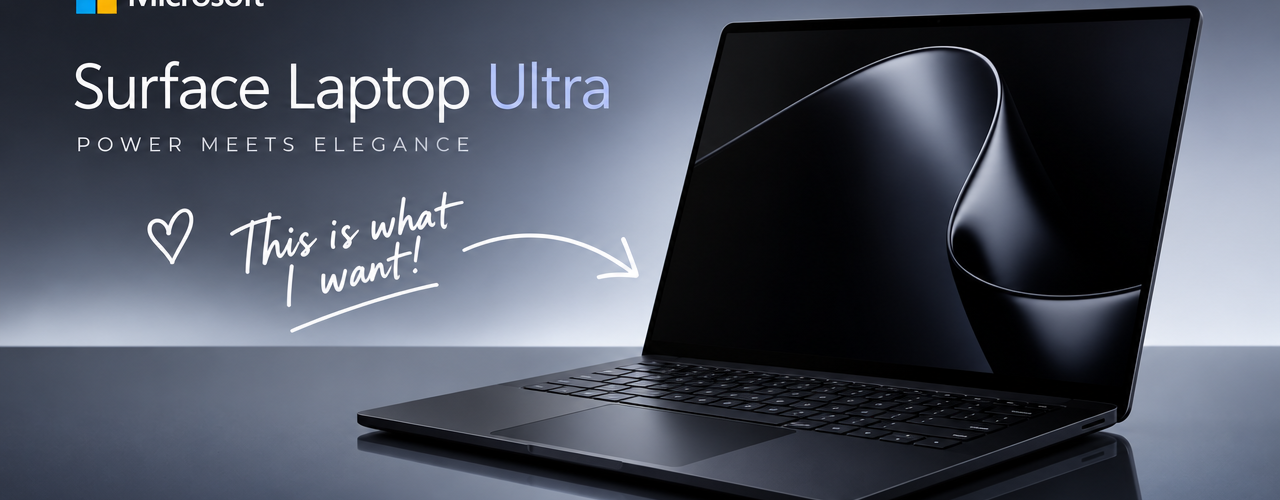
And I want a Surface Laptop Ultra!!!!! More on that later.
Here is my take on what was announced, and what it means for those of us who build, manage and secure Windows.
The big idea: hybrid intelligence
Microsoft calls it hybrid intelligence. In practice, Windows becomes the place where agents run locally when that makes sense and reach for the cloud when they need to. Both come with the security and manageability organizations expect.
The reasoning is refreshingly practical. Models keep growing, and our needs are growing faster than our cloud budgets. Every token sent to the cloud costs money. Every round trip costs time. And some data simply should not leave the device. When local and cloud work together, you spend cloud capacity only on the work that really needs it.
According to Microsoft, four pieces have to work together: capable local models, smart routing between local and cloud, a fast runtime, and silicon that can carry the load. Yesterday they showed all four.
Surface Laptop Ultra: the one I want
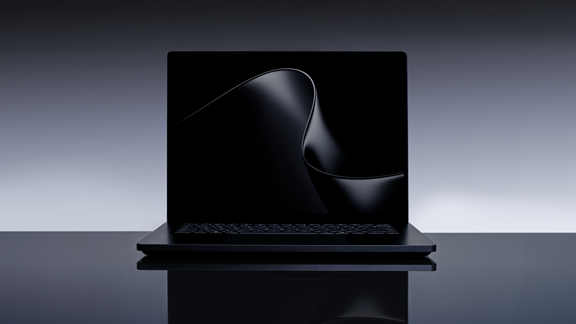
Surface Laptop Ultra is built around NVIDIA’s RTX Spark superchip. Microsoft first optimized Windows for the chip and then designed the whole device around it. Mechanical, thermal, acoustic and material engineers worked together with industrial designers from day one. Sooo awesome!!!
The new local AI NPU can do up to 1 petaflop of AI performance, and models with more than 120 billion parameters running locally on the device. Insane!
But quite expensive, pre-orders opened yesterday at $2,599 in the US, and the laptop is available from October 16. Microsoft calls it the most powerful Surface Laptop ever. I don’t think anyone will argue.
Magnetic Connect is back!, or: I take it back (partly)
In May last year I wrote RIP Surface connect? (https://www.tbone.se/2025/05/07/rip-surface-connect-it-is-absent-on-new-surface-pro-12-and-surface-laptop-13/) when the 12-inch Surface Pro and 13-inch Surface Laptop dropped the magnetic Surface Connect port. I admitted that magnetic detach had saved more than one of my machines. Still, I concluded that USB-C everywhere was worth losing it.
Turns out we didn’t have to choose. Microsoft calls the new Magnetic Connect the world’s first built-in magnetic USB-C charging on a laptop. It is a standard USB-C port with a magnet. My charger drawer and my clumsy colleagues are equally happy.
Specs I have gathered:
| What | The details | My take |
| Silicon | NVIDIA RTX Spark: a Blackwell RTX GPU with up to 6,144 cores and a Grace CPU with up to 20 cores | Not a laptop with a GPU. A GPU-class machine shaped like a laptop |
| Memory | Up to 128 GB of unified memory, shared between CPU and GPU | The real headline. Memory decides how big a model you can run locally |
| Local AI | Up to 1 petaflop of AI performance (FP4), and models with more than 120 billion parameters running on the device | Last year’s frontier, in my backpack |
| Display | 15-inch mini-LED PixelSense Ultra touchscreen with up to 2,000 nits peak HDR, 120 Hz and 262 PPI | The brightest Surface display ever. Touch only, no pen support |
| Cooling | A new thermal design with up to 2.5 times the thermal capacity of Surface Laptop (8th Edition) | Power only matters if it lasts. This is how it lasts |
| Ports | Three USB-C, USB-A, HDMI, an SD card reader and a 3.5 mm headphone jack. Drives up to three 4K displays | No dongles. I repeat: no dongles |
| Charging | Magnetic Connect: magnetic USB-C charging built into the right-side USB-C port, which still works for data and video | The magnet is back. More below |
| Repairability | User-removable SSD | Upgrade it, replace it, or keep it when the device leaves you |
| Size | Under 18 mm thin and under 4.5 lb (about 2 kg) | Not an ultrabook. A very portable workstation |
| Battery | Up to 15 hours of local video playback | Microsoft’s own testing says it keeps almost all of its performance on battery |
| Colors | Platinum and the new Nightfall | Nightfall. Obviously |
Surface RTX Spark Dev Box: a petaflop on your desk
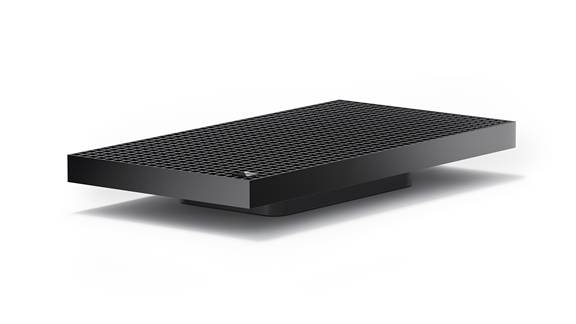
Surface Laptop Ultra moves with you. Its sibling, the Surface RTX Spark Dev Box, stays on your desk. It puts the same RTX Spark platform in a compact box, with up to 1 petaflop of AI performance and 128 GB of unified memory.
It belongs to the Project Zenith family and comes ready for developers. Visual Studio Code, Git, GitHub CLI, GitHub Copilot, WSL, Python, Node and PowerShell 7 are already set up. It costs $5,999, is sold only on Microsoft.com in the US, and ships in November.
My favorite detail: the chassis has 1,000 air vents, a nod to its 1,000 teraflops. Someone on the Surface team has a sense of humor, and I approve.
Agents with a seatbelt: Microsoft Execution Containers
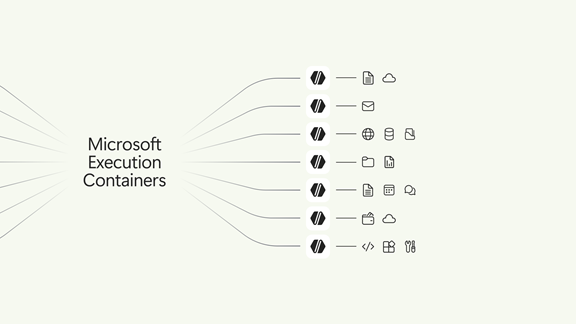
This is where the Intune MVP in me sat up straight. Agents don’t behave like apps. They run around the clock, use tools, write code, touch files and act across systems, often without anyone watching every step. Microsoft summed it up in one sentence I really like: “An agent cannot be its own security authority.”
Microsoft Execution Containers (MXC) is now generally available on Windows 11. You declare which files and network destinations an agent may use, and Windows enforces that boundary while the agent runs. The policy sits outside the agent, so neither the agent nor the code it generates can give itself more access.
You choose the level of isolation for each workload:
| Container | Runs on | Best for |
| Process container | Windows 11, macOS and Linux | Fast, lightweight containment of generated code and tool calls. Perfect for coding agents |
| Session container | Windows 11 only | Long-running agents that need their own desktop, in a separate account and session from the user |
| WSL container (WSLc) | Windows 11 only | Agents that live in the Linux toolchain |
| MicroVM | Windows 11 and Linux (experimental) | Higher-risk workloads that need a hardware-backed boundary |
My favorite part is Learning mode. On Windows, process containers can produce a report of everything an agent tried to access. That lets you build a least-privilege policy from evidence instead of guesses. It is basically audit mode for agents. Anyone who has rolled out ASR rules or App Control knows exactly why that matters.
The ecosystem is already moving. GitHub Copilot, OpenAI Codex, OpenClaw, Replit, LM Studio, NVIDIA OpenShell and Unsloth AI support MXC today. Anthropic Claude Code, Perplexity, Manus, Box and others are on the way. Meta’s Muse is also coming to Windows as a native app with MXC built in. On stage, Jensen Huang said MXC “is going to revolutionize how agents are built and deployed.”
Some pieces are not here yet, but they are coming soon:
- Intune policy for MXC process containers, so IT can control how Windows handles container requests from agents
- Agent identity, where Microsoft Entra can tell an agent’s activity apart from the user’s
- Agent 365 controls for local agents on the device
Containment first, then identity, then manageability. That is the right order, and I will be testing MXC policies in my lab long before the Intune settings land.
Copilot gets local
Over the coming months, Copilot on Copilot+ PCs gets three new local capabilities:
- Local context: with your permission, Copilot understands relevant files and recent activity on your PC
- Local actions: Copilot can act on your behalf, for example organizing files, checking device diagnostics, troubleshooting issues and coding
- Local models: Copilot uses models running on your PC when that makes sense, and adds the cloud when needed
All three work across the new Copilot’s Home, Code and Autopilot experiences. My Surface Laptop 7 is a Copilot+ PC, so it is on the list. Checking diagnostics and troubleshooting issues is basically my NPU app, built into Windows. I’m not even offended. I’m delighted.
And for everyone who thought NPUs just sit idle (yes, I’m looking at myself): Microsoft says Copilot+ PCs already run over 2 trillion inferences locally every month. More than 40% of laptops being built for business today are Copilot+ PCs.
Coding locally: MAI Code 1.1 Flash meets GitHub Copilot
MAI Code 1.1 Flash is Microsoft’s coding model, with 137 billion parameters in total and 6.8 billion active at any time. Microsoft has now squeezed it down to 3-bit precision. That makes it almost 80% smaller while keeping its coding quality and the full 256K context window.
On Surface Laptop Ultra, it uses at most about 75.5 GB of memory with the full 256K context. At 64K context it reads prompts at over 900 tokens per second. That is exactly why the 128 GB model is the one I am dreaming about.
GitHub Copilot is also learning to decide when a task should run on the device and when it needs a cloud model. GitHub’s HydraFusion handles that routing. It comes to the GitHub Copilot app, GitHub Copilot CLI and Visual Studio Code in experimental preview later in October. You can also pick a local model yourself.
More local models are on the way, like an upcoming NVIDIA Nemotron model that fits in just over 20 GB, and DeepSeek V4 Flash. Windows ML also gets llama.cpp support, which makes it easier to try new open-source models.
I write a lot of PowerShell, and many of you run my scripts. Thank you! Now picture a capable coding agent working on those scripts on the train between Stockholm and Gothenburg, where the Wi-Fi is more of a rumor. And picture it inside a container that cannot touch anything outside the repo. That is the future I signed up for.
Windows Search that does things
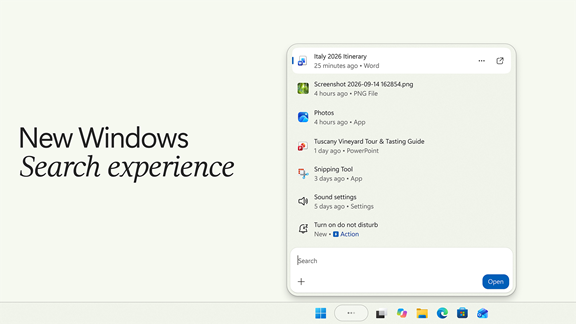
Windows Search is getting thousands of actions, right from the taskbar. Type something like “turn on Do Not Disturb” and it just happens. Switching to dark mode, dimming the screen, arranging your windows and even sending a quick text work the same way, without opening Settings or another app.
The actions are rolling out to Windows Insiders in the experimental channel now. Later this year, in some markets, you can also choose to connect the new Copilot to Search.
It sounds small. Now multiply it by every user, every day. I have watched people dig through Settings for years. This is time handed back.
And yes, gaming
Gears of War: E-Day was shown running on RTX Spark. It is also the first game with expanded Advanced Shader Delivery, which cuts shader compilation on first launch from minutes to seconds. Fortnite, Alan Wake 2 and World of Warcraft: Forever already run on Windows on Arm. More big titles are coming, and Call of Duty arrives on RTX Spark in 2027.
Purely for testing the graphics stack, of course.
What this means if you manage Windows
- Start learning MXC now. The SDK, configuration schema and samples are on GitHub. Put one agent in Learning mode and read its activity report. You will learn a lot about what agents actually do.
- Get ready for agent identity. Once Entra can tell an agent from the person using the device, you can restrict the agent without blocking the employee. That changes how we design access.
- Treat RTX Spark devices as Windows on Arm. Test VPN clients, security agents, drivers and line-of-business apps before you order them for your developers.
- Buy memory, not just a chip. For local AI, memory decides what fits. A 24 GB machine and a 128 GB machine are two very different tools.
- Check the management basics first. Before I roll out any new Surface model, I check the list of devices that support DFCI. You know how I feel about DFCI (https://www.tbone.se/2026/09/24/dfci-on-surface-intune-reaches-below-windows-and-one-checkbox-combo-can-cost-you-an-ssd/).
- Put Ignite in your calendar. Microsoft promises more about using hybrid intelligence in organizations at Ignite in November.
Dear Surface team (and Santa): why I want a Surface Laptop Ultra
I promised to come back to this. Here is my very professional business case:
- My NPU app deserves a bigger brain. With 128 GB of unified memory, it could move from a small model to one that works through Intune logs, Entra sign-ins and event logs at the same time. I will produce a lot faster”
- A coding agent that works offline. MAI Code 1.1 Flash on the device, inside an MXC container, on that train with no Wi-Fi. Soo nice for powershell
- A lab for agents. I want to test MXC policies, Learning mode and the upcoming Intune controls on real hardware before I recommend anything to customers. Verify on real hardware, always.
- No more dongle hunting on stage. It has HDMI, USB-A and an SD card reader. As a speaker and trainer, I have lost more minutes to adapters than I want to admit.
- The magnet is back. Magnetic Connect fixes the one thing I missed about Surface Connect. Would be interesting to see if it fit other USB-C slots on 3part.
- Sustainability I can defend. In March I fact-checked my own sustainability recommendation (https://www.tbone.se/2026/03/18/i-picked-a-surface-laptop-7-for-sustainability-then-i-decided-to-fact-check-myself/) for Surface Laptop 7. A removable SSD in a high-end machine helps a device live longer, and a longer life is one of the biggest sustainability wins there is.
- 2,000 nits for the Swedish summer. All three weeks of it.
Now the reality check. Surface Laptop Ultra starts at $2,599 in the US, and the 128 GB configuration I’m dreaming about is listed at $5,899.99. In the Swedish Microsoft Store, Surface Laptop Ultra for Business starts at 42,309 SEK, and you order it by phone. Microsoft even offers up to $1,000 if you “break up with your MacBook”, but only in the US and Canada. Besides, I have no MacBook to break up with. I have a Surface Laptop 7 that I love. I’m not breaking up with anyone. I’m expanding the family.
So, dear Surface team: if a Surface Laptop Ultra needs a good home in Stockholm, I know a guy. And dear Santa: I have been mostly good this year. I even fixed the high domain controller load in my drive mapping script
About The Author